
You have an email address. Maybe it’s from a Craigslist seller, a potential hire, or a suspicious sender.
Most people think an email is just a digital mailbox. To an investigator, it is a digital passport.
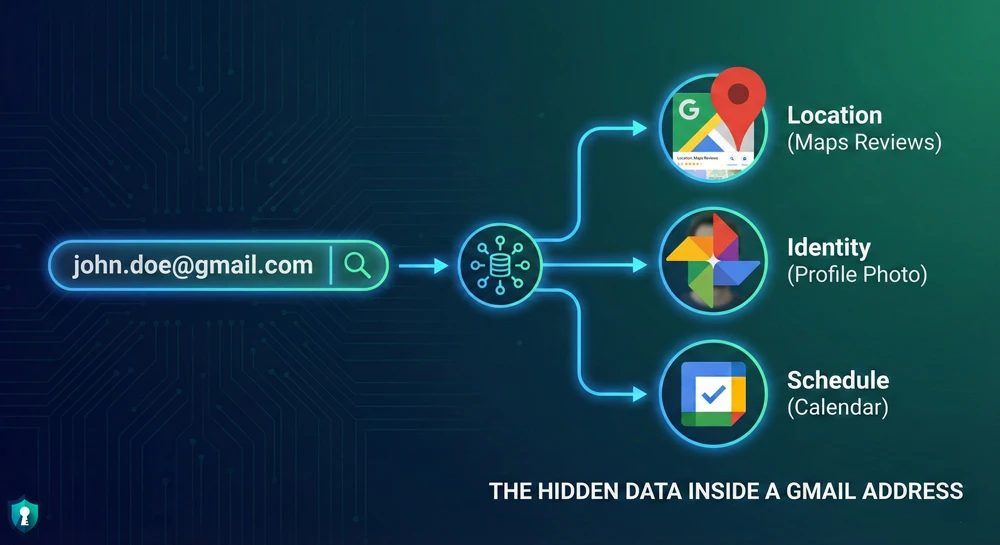
An email address is often the “Key” that unlocks a person’s Google Account, their physical location (via Maps reviews), and even their daily schedule (via Calendar).
You don’t need expensive software to find this information. Here are the 3 best free methods to reverse lookup an email address in 2026.
Method 1: Epieos (The “Google Scanner”)
If you only use one tool, use Epieos. It is a specialized search engine that queries Google’s servers to see if an email is connected to a Google Account-without ever sending an email to the target.
How to use it:
- Go to Epieos.com.
- Enter the target email address.
- Accept the terms and search.
What it reveals:
- Google Maps Reviews: If they have ever reviewed a restaurant or shop, Epieos will show you. This often reveals their city or neighborhood.
- Google Photos: It pulls their profile picture (often a clear face photo).
- Calendar Status: It checks if their calendar is public.
Pro Tip: If Epieos gives you a name, plug that name into our Username Search Guide to find their other social media.
Method 2: The “Google Calendar” Trick (Manual OSINT)
Sometimes automated tools fail. This manual trick works directly through Google’s own system to reveal the name and photo attached to a Gmail address.
How to do it:
- Open your own Google Calendar on a desktop.
- On the left sidebar, look for the box that says “Search for people” or “Add calendar”.
- Paste the target email address into that box and hit Enter.
The Result:
- If you are lucky: Google will load their calendar. Even if the events are private, the header will usually display their Real Name and Profile Photo.
- Why it works: Google assumes you are trying to schedule a meeting with them, so it politely shows you who you are inviting.
Method 3: Have I Been Pwned (Breach History)
This tool doesn’t show you who they are, but it tells you what they use.
How to use it:
- Go to HaveIBeenPwned.com.
- Enter the email address.
- Scroll through the list of “Breaches.”
The Intel:
- If you see “LinkedIn,” you know they have a professional profile.
- If you see “Snapchat,” they are likely younger.
- If you see “Ashley Madison,” they have a history of infidelity sites.
- If you see “Adobe,” they might be a designer or creative.
This helps you build a “profile” of the person before you even find their name.
Warning: What NOT to Do
Do not use the “Password Recovery” trick (typing their email into Facebook login and clicking “Forgot Password”).
- Why? Most platforms now alert the user: “Someone tried to reset your password.”
- The Risk: You will blow your cover immediately. Stick to Epieos and Calendar, which are silent.
The Bottom Line
An email address is rarely just an address. By using Epieos, you can link that email to a face and a location in seconds.
Once you have the name or photo, use our Free Face Search Tools to finish the investigation.



